Designed for children with autism, ADHD & special needs

Helping every child communicate, learn & grow, one step at a time.

BloomPath brings visual schedules, social stories, communication tools, calming activities and interactive learning into one easy-to-use app, personalized for your child's unique needs.
  • 14-day free trial
  • No ads, ever
  • Up to 4 children
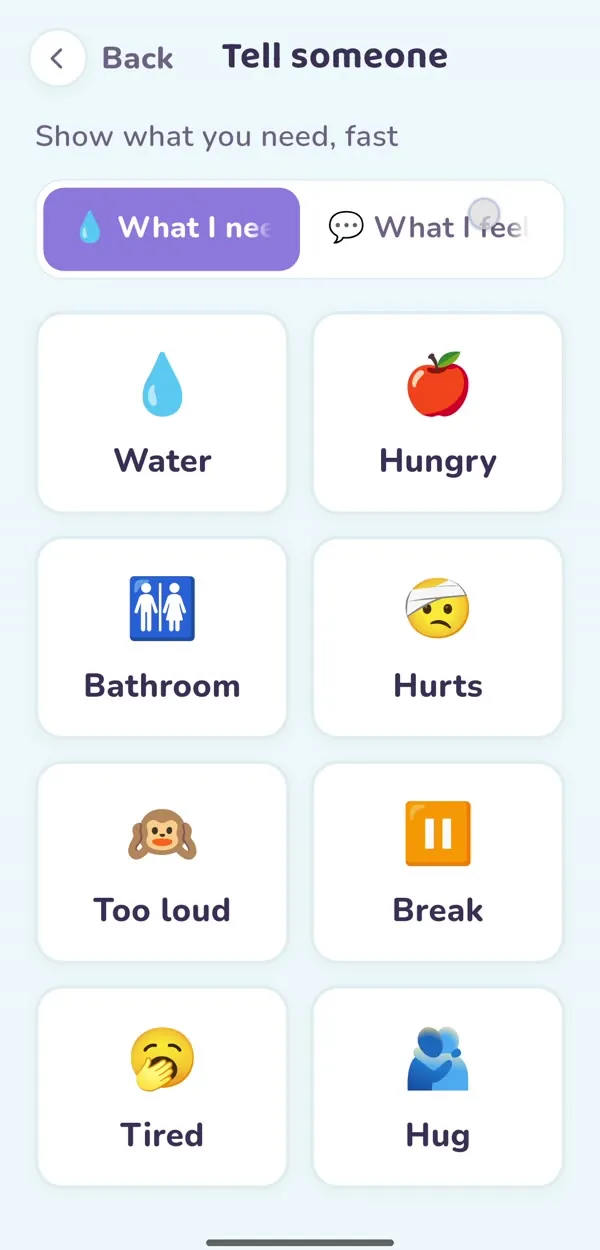
Tell Someone board with picture buttons for water, hungry, bathroom, hurts, too loud and break
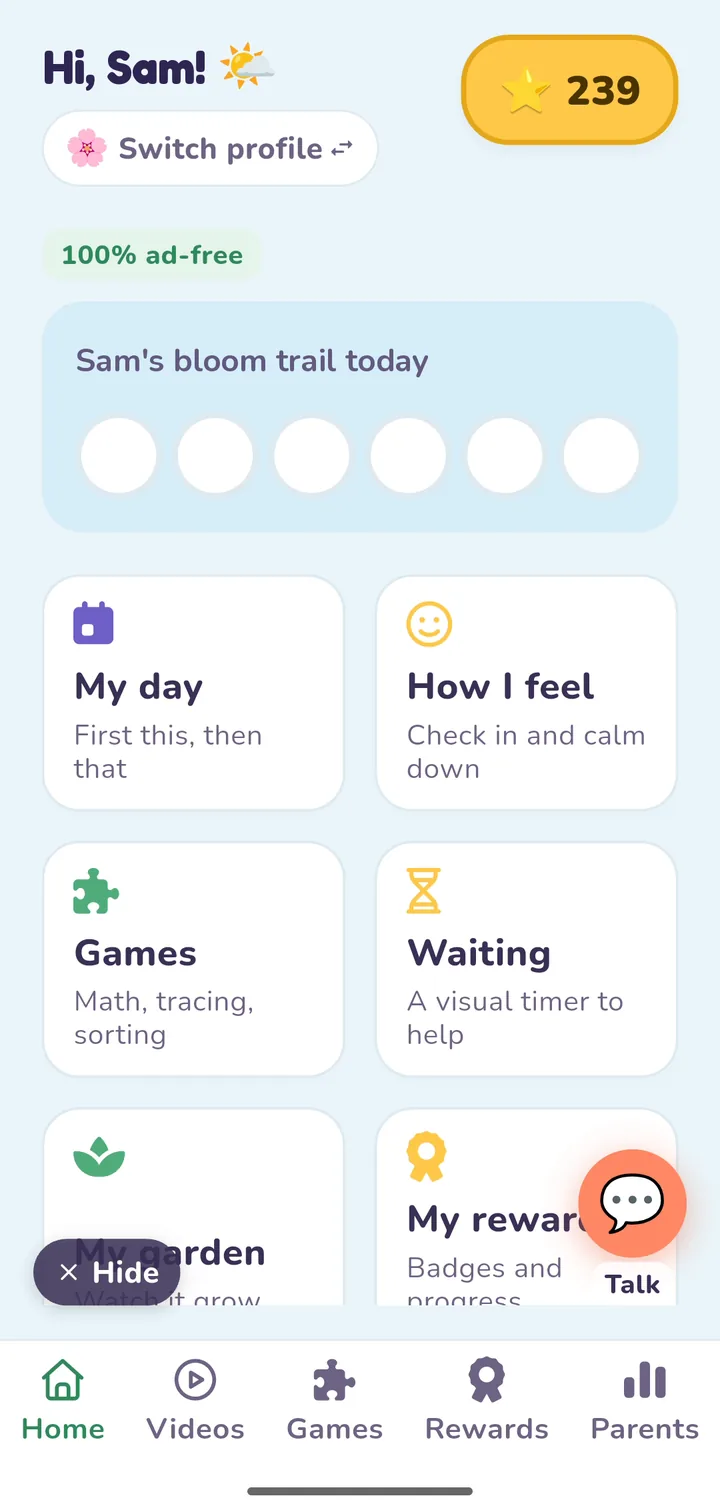
BloomPath home screen: a bloom trail for today and tiles for My day, How I feel, Games and Waiting
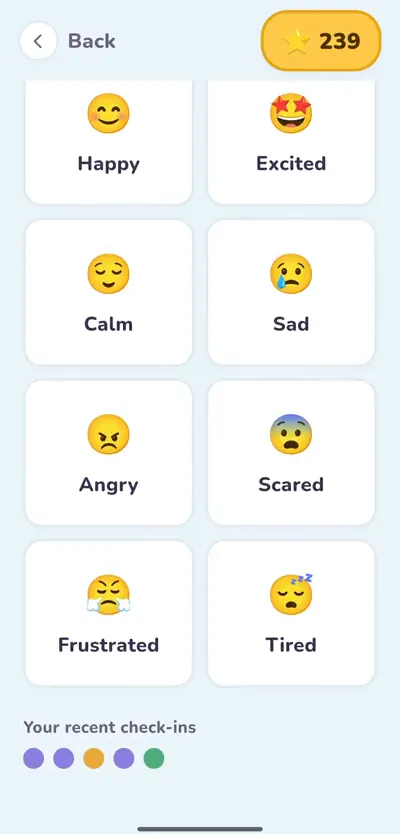
How I feel check-in with picture faces for happy, excited, calm, sad, angry and scared
Made for children with AutismADHDSpeech & language delaysDevelopmental differencesSensory differences
How BloomPath helps

Little steps. Big possibilities.

Communicate with confidence

Picture buttons help your child say what they need and how they feel, even without words.

See the board
Make daily routines easier

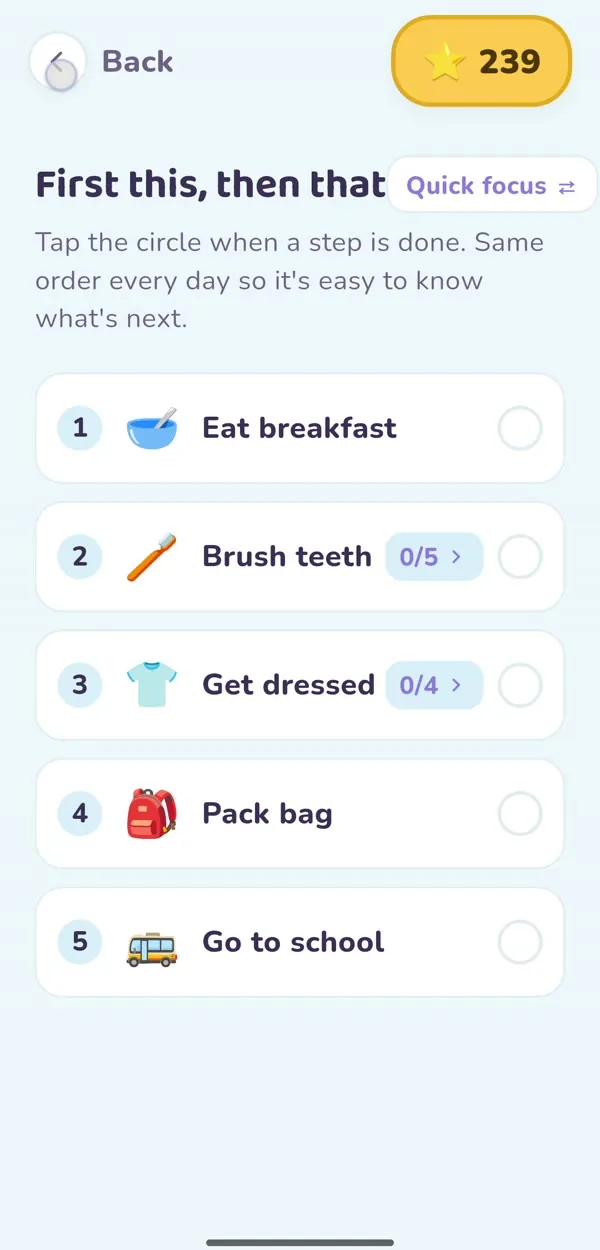
"First this, then that" schedules and a picture wait timer show what's coming next.

See schedules
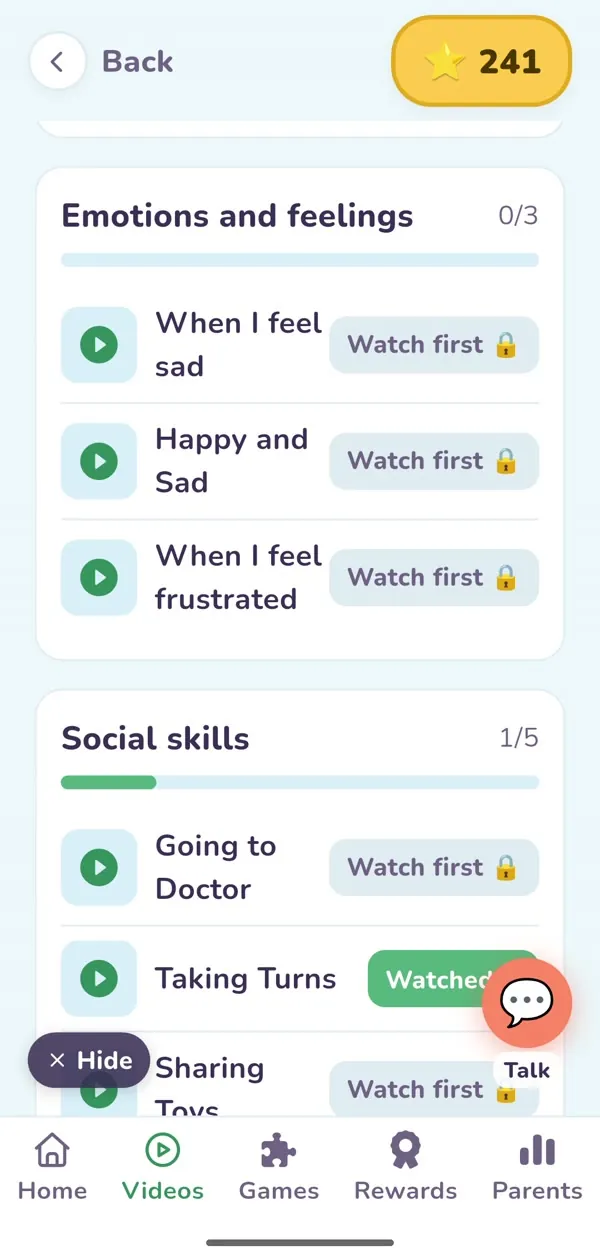
Understand feelings & social situations

Social-story videos and feelings check-ins prepare kids for real-life moments.

See social stories
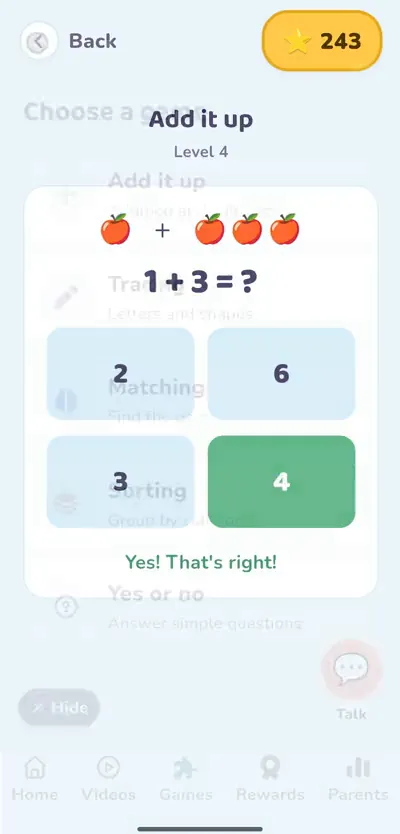
Learn through play

Gentle games for numbers, letters and sorting, plus 10 vision and focus activities.

See the games
Explore the app

One app. So many ways to grow.

Choose a feature to see the real BloomPath screen.

My Day schedule: eat breakfast, brush teeth, get dressed, pack bag, go to school

Know what's next, every time

Picture steps show what happens now and what comes next. Kids tap each step as they finish.

  • Fewer surprises at transitions
  • Works without reading
  • Wait timer can reveal your own photo, like home or the park

Screens are from the BloomPath app. Previews have no sound and play only when you press play.

Learning games, in action

Short, gentle games with levels that grow with your child. Tap any preview to play it. No sound.

Add it upAdding with pictures
TracingFollow the real letter path
SortingFruits, animals or vehicles
Yes or no"Is this an apple?"
Quiet Space

A calm corner for sensory overload.

When the world gets too loud, too bright or too much, children can open Quiet Space on their own, choose a calming activity and a soft sound, and come back when they feel ready.

Breathe with us

Just like the Breathe activity in the app. In for 4, out for 4.
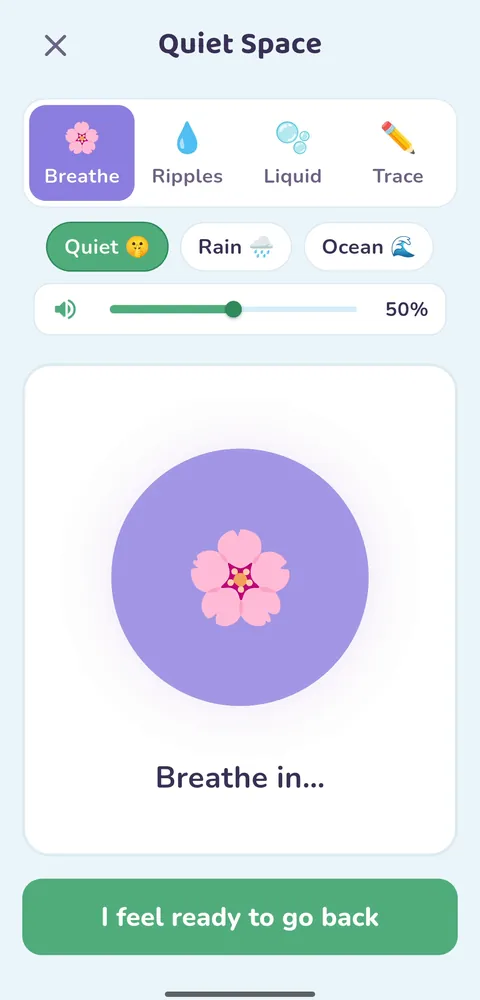
Four ways to calm down

Breathe: a flower grows and shrinks with the words Breathe in
BreatheFollow the flower as it grows and shrinks.
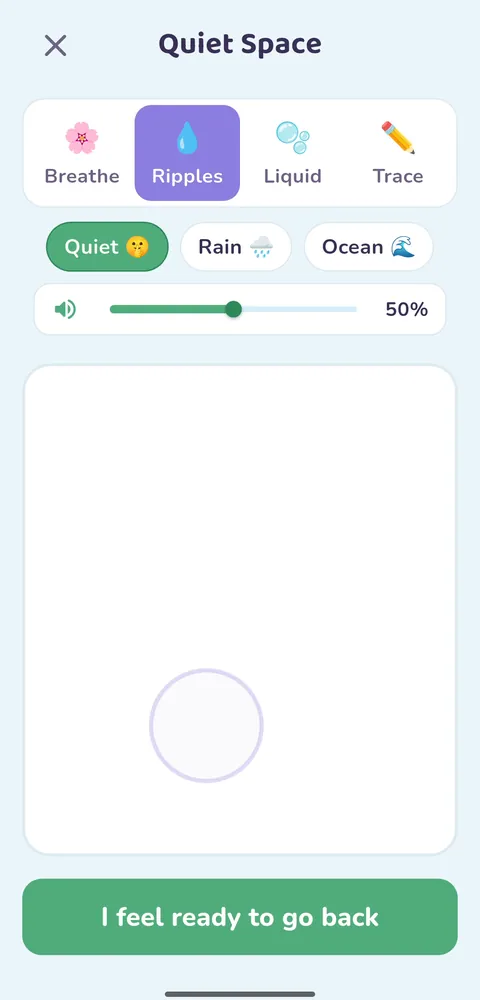
Ripples: touch the screen to make soft rings
RipplesTouch to make soft rings spread out.
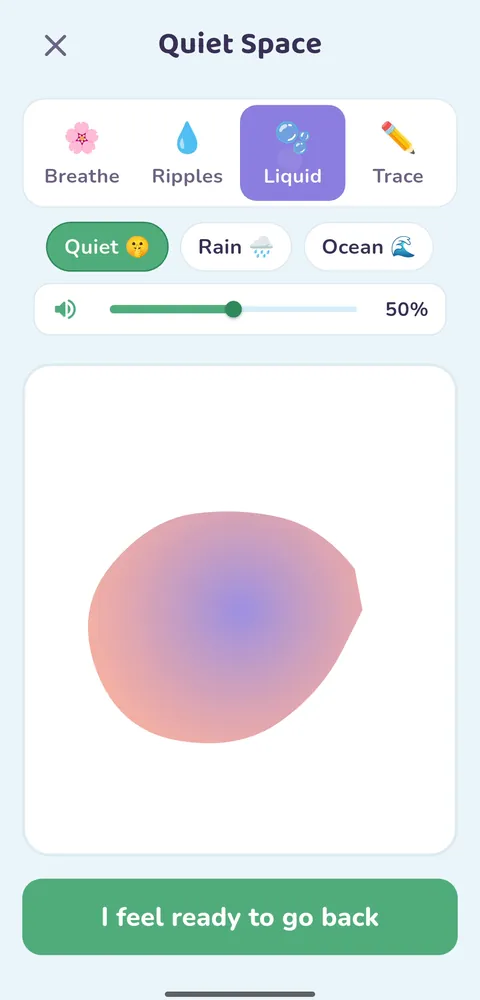
Liquid: slow, soft color that moves with a finger
LiquidSlow, gentle color to watch and move.
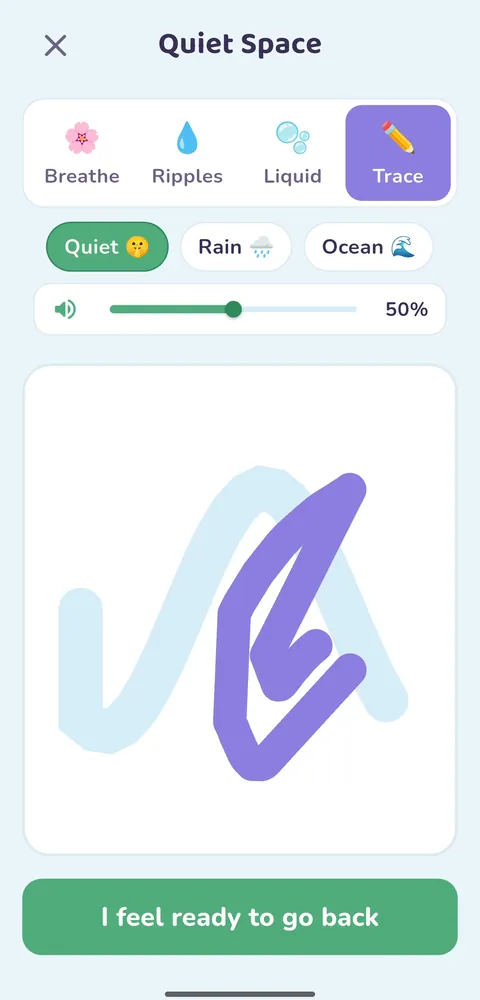
Trace: follow a calm wavy line with a finger
TraceFollow a slow, wavy path with a finger.
Soft sounds, or none

Quiet, rain or ocean, with a volume slider.

They decide when they're ready

A big "I feel ready to go back" button, no timer pushing them out.

Always one tap away

Quiet Space sits right on the home screen, next to How I Feel.

Calm everywhere

No ads, no flashing, and a low-stimulation mode for the whole app.

Patterns for parents

The parent view shows how often Quiet Space is used.

Vision & Focus

Playful practice for looking, tracking and focus.

Ten short activities where kids follow moving targets, look left and right, and remember what they saw.

What your child practices

  • Following with the eyes

    Tracking balls and numbers as they move across the screen.

  • Left and right

    Left hand for the left side, right hand for the right.

  • Quick visual memory

    See a number for a moment, then pick it from a list.

  • Short bursts of focus

    Rounds of a few seconds, with a "Nice work!" at the end.

Grown-ups set the levelTarget size: small, medium, large · Speed: slow, medium, fast
Results are savedAccuracy and time for each activity, in My vision results and the parent dashboard
Pop the ballLeft hand, right hand
Left / right lettersLook left, then right
Pop the colorOnly the matching color
Match the animalFind the one that matches
Pop it in the ringsTap the moving ball in time
Connect the dots1 to 6, then "Nice work!"
Pop the ballPop letters in orderRead the moving numberRead the numberLeft / right lettersPop the colorMatch the animalPop it in the ringsTrace start to endFind the odd one out

Vision & Focus activities are playful practice, not a clinical vision therapy program. Ask your child's eye doctor or therapist about specific vision goals.

Social stories & videos

Real-life lessons, made simple.

Friendly characters show what to expect and what to do, with captions on screen and a calm recap at the end.

No Hitting

Keeping hands safe, even when we're upset.

Haircut Day

What happens at the barber, step by step.

Getting Dressed

One piece of clothing at a time.

Going to the Doctor

"The doctor helps me."

Changing activitiesWashing handsWhen I feel sadWhen I feel frustratedTaking turnsSharing toysSafe handsRoad crossing Add your own family videos
Make it theirs

Their home. Your voice. Their garden.

Kids feel safest with what they already know, so BloomPath lets you add real photos and videos from your child's own life.
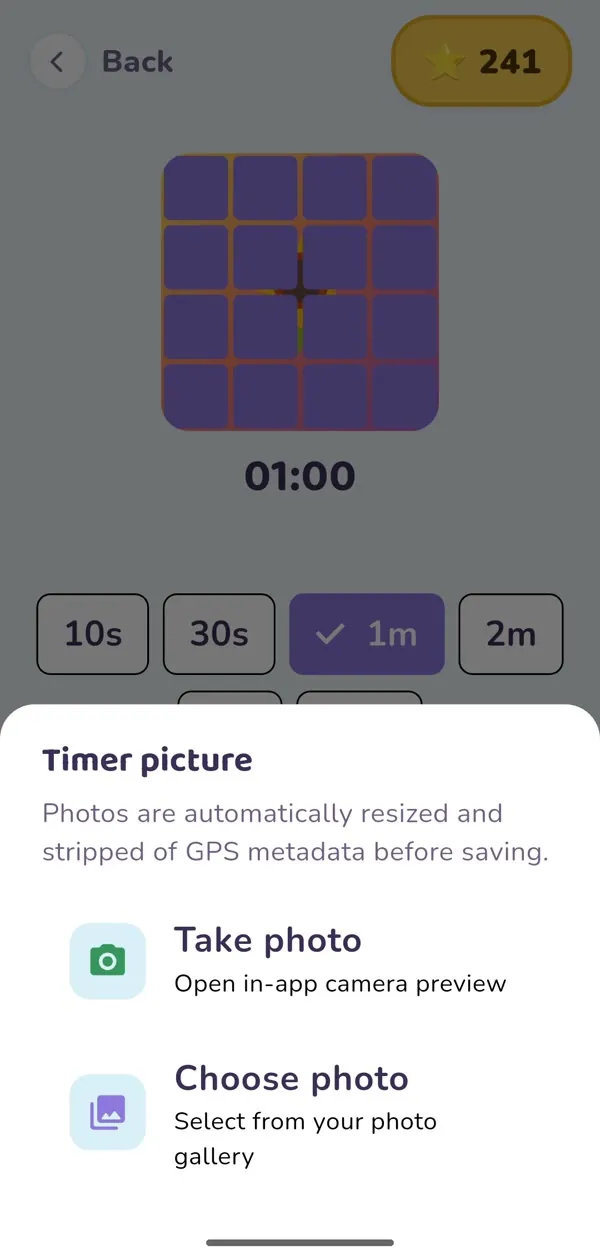
Going home in 10:00
Picture timer settings: take a photo or choose one from your gallery
Custom picture timer

"Going home in 10 minutes," with a photo of home.

Take a photo of your house, the park, Grandma's door or a favorite toy. As the timer runs, the picture appears piece by piece, so the wait ends with something your child loves.

  • Take a photo or pick one from your gallery, right in the timer
  • Only grown-ups can change it (parent PIN)
  • Photos are resized and location data is removed

Try it: the demo runs 10 minutes in 15 seconds. In the app, it's your own photo.
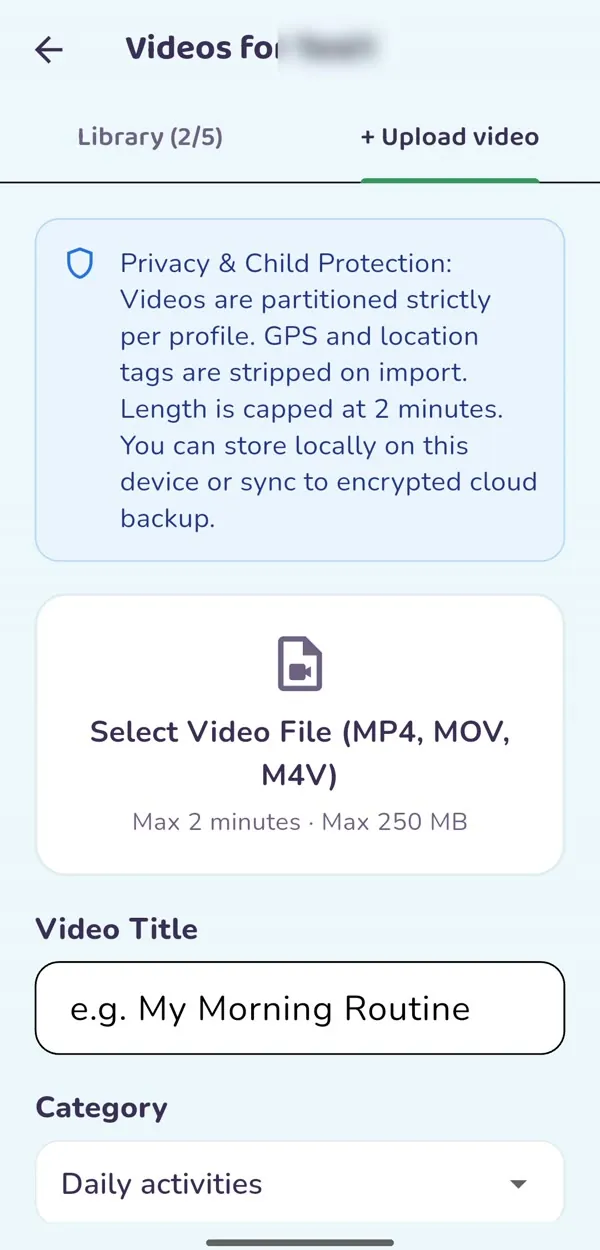
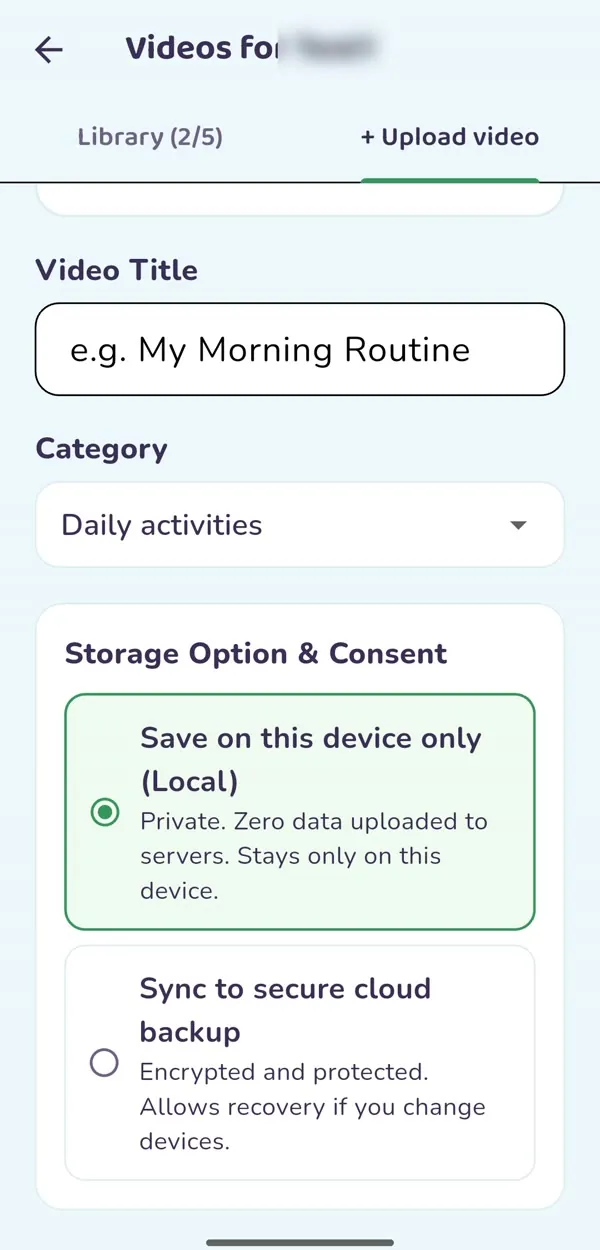
Upload video screen with a privacy and child protection notice
Video title, category and a choice to store on this device or in secure cloud backup
Your own videos

Record it once. Replay it every day.

Parents and therapists can film the real routine, the real classroom or a skill being modeled, and add it to the child's own video library to watch again anytime.
Our morning routineWalking into the new classroomTherapist modeling gentle handsGrandma saying goodnight
  • Add a title and category; it appears in that child's library
  • Each child's videos stay in their own profile
  • Up to 2 minutes; location tags removed
  • Keep it on this device only, or in an encrypted cloud backup
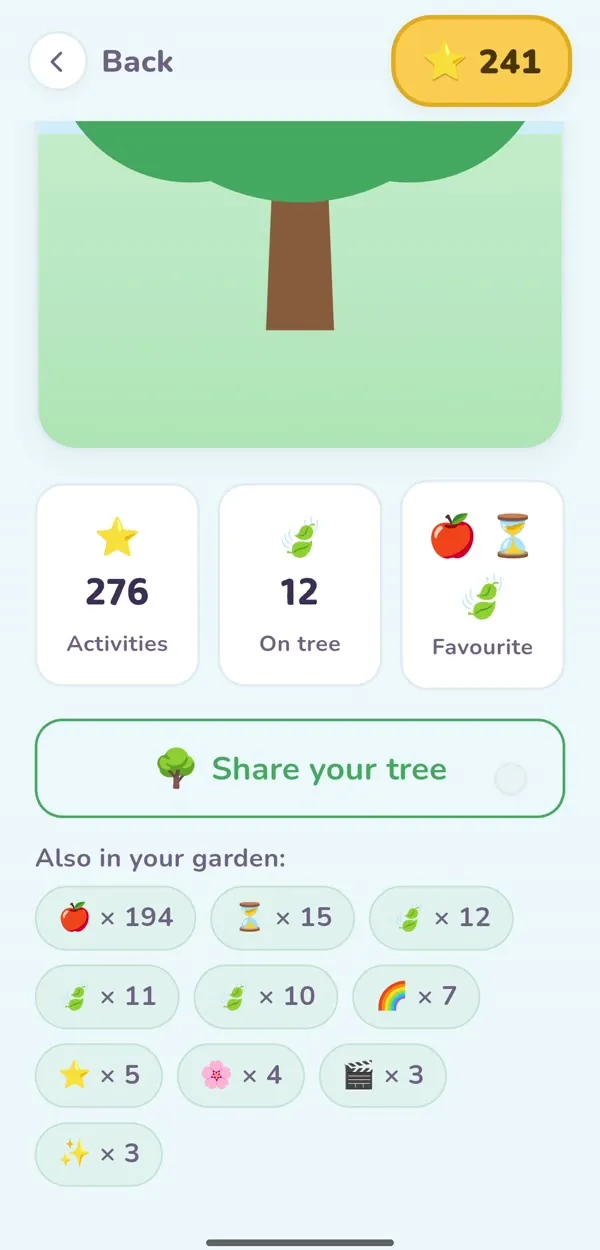
My Garden screen with activity counts and a Share your tree button
To: Grandma
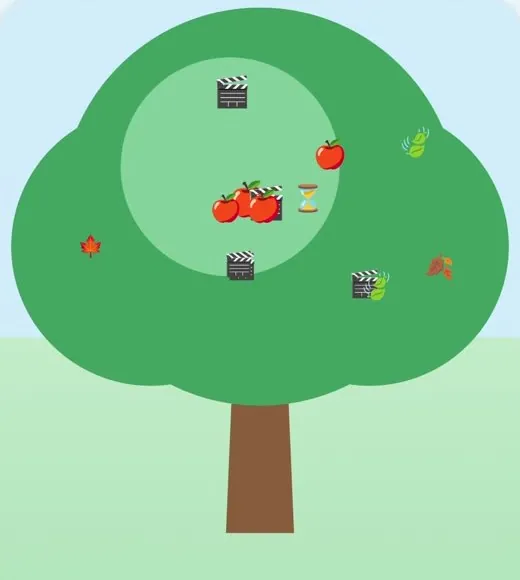
Picture of a child's BloomPath garden tree

Look at Sam's garden in Bloom Path!

Delivered
MessagesWhatsAppEmail
Share the garden

Send Grandma the garden.

Every activity grows your child's tree. Tap "Share your tree" and BloomPath makes a picture you can send to grandparents, aunts and uncles by text, WhatsApp or email.

  • Shows real progress: activities done and what's on the tree
  • Parents choose who sees it; sharing needs the parent PIN
  • Family cheers give kids a reason to come back tomorrow

"Sam" is an example name.

Designed for every child

Every child learns differently. BloomPath understands.

Visual first

Every choice is a picture with a short label. No reading needed.

Big, easy buttons

Large tiles sized for small and developing hands.

Predictable layout

The same five tabs in the same place on every screen.

Sensory-friendly

Soft colors, no flashing, no ads, and a Quiet Space to reset.

Low-stimulation mode

One switch for fewer sounds and gentler motion.

Personal routines

Your own photos in the timer and your own videos in the library.

Their own pace

Levels, adjustable size and speed, and no losing.

Parent-managed

Settings and uploads stay behind a parent PIN.
How it works

Up and running in minutes.

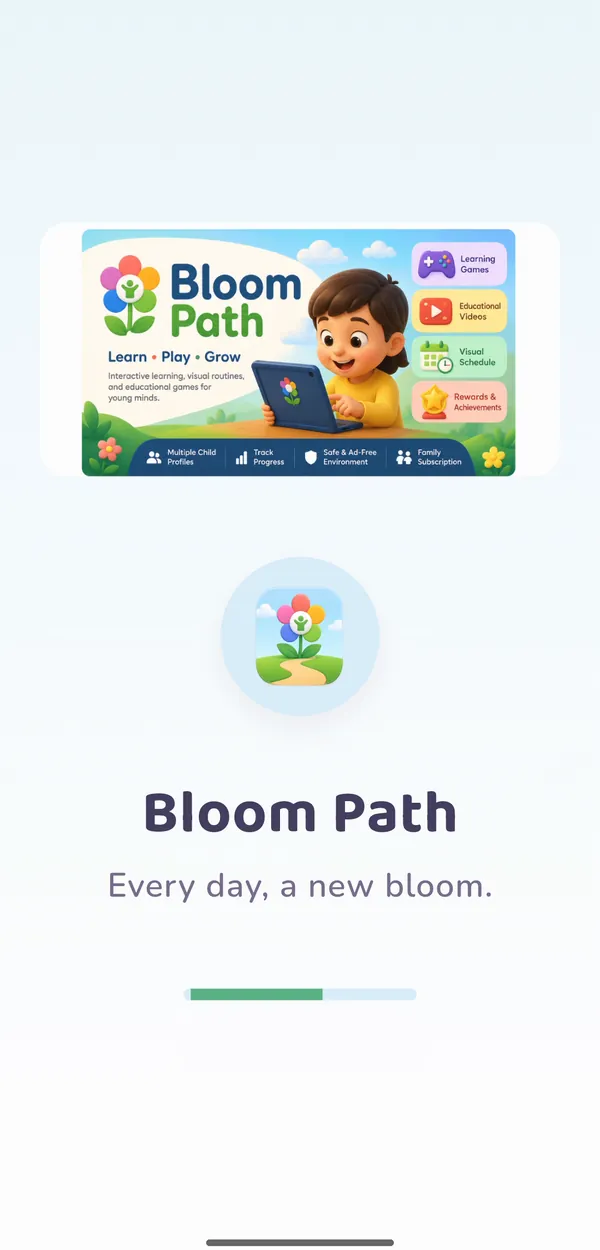
  1. BloomPath launch screen: Every day, a new bloom

    Download BloomPath

    Install the app and start your 14-day free trial.

  2. Picture timer options: take a photo or choose one from your gallery

    Personalize it

    Add your child, set a parent PIN, and add familiar photos and videos.

  3. My Garden with activity counts and a Share your tree button

    Explore and celebrate

    Practice skills, earn stars and badges, and share the growing garden with family.

For parents, therapists & educators

Support that carries from home to therapy to school.

See how your child is really doing

  • Feelings check-ins and Tell Someone requests, with the time of day
  • Skill accuracy for games and vision activities
  • A weekly email summary you can share with the care team
  • Up to four children, each with their own profile
Privacy & trust

Made for children. Managed by grown-ups.

No ads, nothing sold

No advertising in the app, and we never sell personal information.

Parent-managed controls

A 4-digit PIN or 3-second hold protects settings, uploads and sharing.

Your photos stay private

Location data is removed. Videos stay on your device unless you choose encrypted backup.

Built on proven methods

Visual supports, video modeling and social narratives, as used by therapists.

Respects every learner

Supports routines and communication. It doesn't diagnose or treat any condition.

Delete anytime

Remove your account and your child's data whenever you want. How to delete

Read our privacy policy

Pricing

Try everything free for 14 days.

One plan with every feature, for up to four children.

Monthly
$5.99 / month

Billed every month. Cancel anytime.

Start free trial
All games, stories and calm toolsUp to 4 child profilesParent dashboardWeekly email summaryNo ads

Subscriptions are managed through Google Play. Cancel anytime in your Google Play settings.

Every small step deserves to be celebrated.

Discover a more engaging way to support communication, routines, learning and everyday independence.

Questions

Good to know.

Who is BloomPath for?

Young children with autism, ADHD, speech and language delays or other developmental and learning differences, and the parents, therapists and teachers who support them.

Does BloomPath replace therapy?

No. BloomPath helps children practice routines, communication and skills at home. It does not diagnose or treat any condition and works best alongside therapy and school.

Can my child use it alone?

Yes. Children use the picture tiles on their own. Settings, uploads, sharing and the dashboard need the parent PIN.

Can I add my own photos and videos?

Yes. Add a photo to the picture timer, and videos up to 2 minutes to each child's library. Location data is removed from both.

How do I cancel?

Cancel anytime in your Google Play subscriptions. To delete your account and data, see Delete your account.

BloomPath demo

No sound. Use the controls to play, pause or go full screen.